
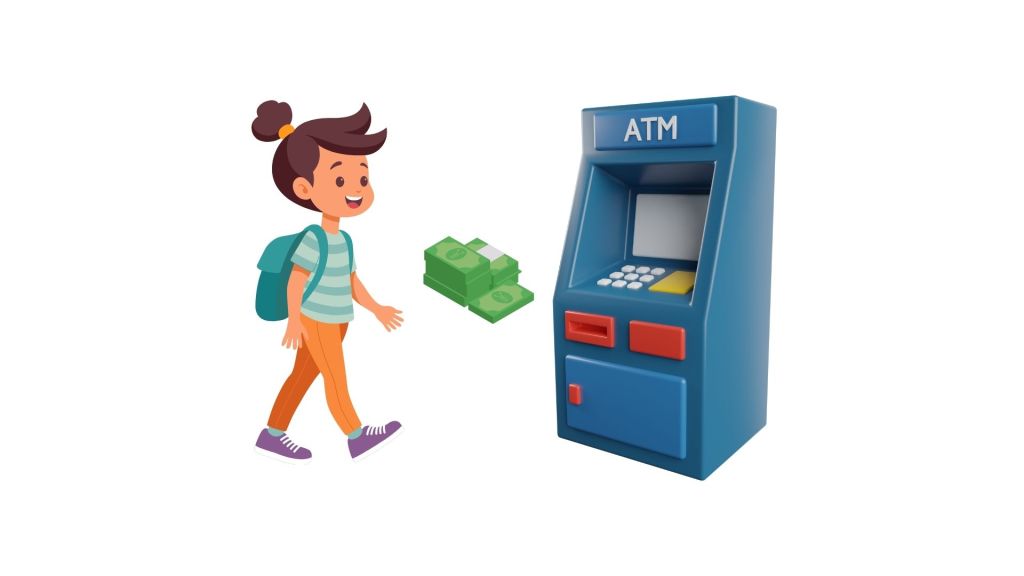
Here’s a structured way to tackle this question, step by step.
1️⃣ Clarify the Problem
Before diving into solutions, clarify the scope:
- Who am I?
Am I a manufacturing company building ATMs as a physical product, or am I responsible for software features while hardware is outsourced, or both? Both (Assumption) - What are we building?
Since this product is for kids, I assume we are building a new product from scratch — not improving existing ATMs. - Goal: The goal is to help parents teach kids financial literacy (saving, spending, managing money).
- Demographics:
Target market = India - Who are we building this product for:
- Schools as commercial ?
- Bank ATMs in India? Yes
- Competition:
Assume this is a new market, so MVP should focus on usability + core goals. - Age segmentation:
- Kids (6–8): Low impact, too dependent to use ATMs.
- Kids (8–10): High impact – right age for introducing financial tools.
- Kids (10–13): Already aware of ATM basics, familiar with adult machines.
- Decision makers: Parents (primary), but teachers/grandparents also influence.
Clarifying upfront shows interviewers that you think about users, decision-makers, and constraints first.
2️⃣ Understand the Users
Kids (Primary Users):
- Need height-friendly, simple, engaging design.
- Want to learn basic transactions in a safe way.
Parents (Secondary Users):
- Want to teach financial literacy.
- Want to monitor and control usage.
- Concerned about reliance on cash and safety.
Teachers/Grandparents (Mediators):
- Potential advocates who encourage learning.
3️⃣ Identify Pain Points
For Kids:
- Can’t physically reach ATM height.
- Lack money, motivation, or understanding of PINs and withdrawals.
- Struggle with text-heavy or complex instructions.
For Parents:
- Limited ways to teach money management.
- No tools to monitor allowances or habits.
- Concerns about kids handling real cash securely.
4️⃣ Research Plan
Qualitative:
- User interviews with parents (Including kids)
- Kids sharing their perspective with their parents
Quantitative:
- Surveys (parents primarily).
- Secondary data: online reviews, social media comments.
Competitive Analysis:
- Check if similar solutions exist, and analyze strengths/weaknesses.
5️⃣ Proposed Features (MVP)
Transactions:
- Deposit (coins + notes).
- Withdrawal (notes + receipts).
- Pop-up confirmation + kid-friendly voice prompts.
- Notifications sent to parents.
User Identification:
- Card + PIN (with reminder pop-up for card removal).
- Optional: Camera scanner to detect kid and link with parent for security.
Parental Controls:
- App or web-based dashboard.
- Load balance easily.
- Track balances + expenses.
- Per-transaction notifications.
Design:
- Height-friendly, with big buttons.
- Voice-friendly interface (optional).
- Kid-friendly UI (bright visuals, intuitive flows).
- Clear flows: Add Money / Take Out Money, etc.
6️⃣ Prioritization of Features
| Feature | Effort | Impact | Priority Rationale |
|---|---|---|---|
| Parental Controls | Medium | High | Critical for trust. Parents are gatekeepers, so monitoring and limits must come first. |
| Transaction Basics | Medium | High | Core to the ATM use case: deposit/withdrawal with confirmations. |
| Kid-friendly Design (UI/UX) | Medium | High | Ensures accessibility (height, visuals, big buttons). Without this, kids cannot use independently. |
| Notifications to Parents | Low | Medium | Reinforces parental trust; complements core controls. |
| Voice Prompts | Medium | Medium | Improves accessibility, especially for kids with limited reading ability. |
| Camera Scanner (optional) | High | Low | Adds security but not essential for MVP. Can be deferred. |
I prioritize features that maximize parental trust and ensure safe usability, while balancing effort and long-term scalability.
7️⃣ Metrics for Success
North Star Metric:
- Number of active transactions per child.
- Number of active child accounts.
Business Metrics:
- CAC (Customer Acquisition Cost).
- LTV (Lifetime Value).
- Sales/Units Sold.
- Churn rate (parents discontinuing use).
Engagement Metrics:
- Frequency of use.
- Deposit vs Withdrawal ratio.
- Time spent on educational features.
- Goal completion rate (kids saving to a target).
Parent Satisfaction:
- NPS.
- Survey responses.
- App reviews/feedback.
Kids’ Satisfaction:
- Harder to measure directly → observe reactions + parental feedback.
8️⃣ Trade-offs & Risks
Technical Risks:
- Hardware reliability (cash/coin handling, durability).
- Physical/data security.
- Integration with companion app.
User Adoption Risks:
- Kids lose interest once novelty fades.
- Parents may not want added responsibility.
- Must balance “toy-like fun” with serious financial tool.
Educational Risks:
- Risk of becoming just a play machine, not teaching real financial literacy.
- Age-appropriateness varies widely.
9️⃣ Summary
In summary, designing an ATM for kids requires balancing fun, education, and parental trust. Kids need a height-friendly, simple, and engaging interface to learn money basics, while parents need monitoring, control, and safety.
I’d prioritize parental controls, basic transaction features, and kid-friendly design as the top features. Metrics like active child accounts, transaction frequency, and parent satisfaction would measure success.
Overall, this approach ensures both kids and parents see value: kids learn financial literacy in a safe environment, while parents remain confident gatekeepers of the experience.
 The ProductBrain
Leave a comment